
Llama 3.3 (Meta)
Meta’s flagship open-weight family — 8B, 70B, 405B. The most widely deployed open model. Commercial use allowed.
RecommendedOpen-weight models you can run, fine-tune and build on — often rivalling closed frontier models.
Open Source vs Open Weights: True open-source includes training code and data. “Open weights” (Llama, Mistral) releases model weights but not always training data. Both are valuable — check licenses before commercial use.
Llama 3.3 (Meta)
Meta’s flagship open-weight family — 8B, 70B, 405B. The most widely deployed open model. Commercial use allowed.
RecommendedDeepSeek R1
Chinese open-weight reasoning model matching GPT-o1 quality at a fraction of the cost. MIT license.
Free Open SourceMistral 7B / Large
French AI lab producing excellent open-weight models. Mistral 7B punches far above its size.
RecommendedGemma 2 / 3 (Google)
Google’s lightweight open models — 2B, 7B, 27B. Designed for on-device and edge inference.
Phi-4 (Microsoft)
14B parameter model outperforming many larger ones. Excellent for reasoning and math. MIT license.
Falcon (TII)
UAE’s Technology Innovation Institute open-weight models — strong multilingual capabilities.
Qwen 2.5 (Alibaba)
Alibaba’s open-weight family with strong code and multilingual performance.
Command R (Cohere)
Optimised for enterprise RAG applications — excellent at retrieval and reasoning over documents.
Ollama
The easiest way to run open models locally — one command to download and chat with Llama, Mistral, Gemma.
RecommendedHugging Face
The central hub for open models — 500K+ models, transformers library, Inference API.
RecommendedvLLM
High-throughput inference server for open models — the standard for production open-model deployment.
llama.cpp
C++ inference engine for running quantised open models on CPU and consumer hardware.
LM Studio
Desktop GUI for downloading and running open models locally with a ChatGPT-like interface.
Together AI
Cloud inference API for open models — pay-per-token, fast, wide model selection.
Replicate
Run any open model via a simple REST API — no GPU provisioning required.
Text Generation WebUI
Oobabooga’s popular web interface for local LLM inference — extensive customisation.
A practical example of how to connect messaging, AI models, and automation into a working system. This pattern is commonly used for personal AI assistants, automated customer support, and agentic workflows.
WhatsApp / Discord / Telegram — User-facing chat interface. Users send messages, AI responds — familiar, accessible, no app install needed.
Alternatives:
n8n / Zapier — Connects the messaging platform to your AI. Receives messages, triggers workflows, sends responses.
Ollama (local) or OpenAI / Anthropic API — The brain. Processes user requests, generates responses.
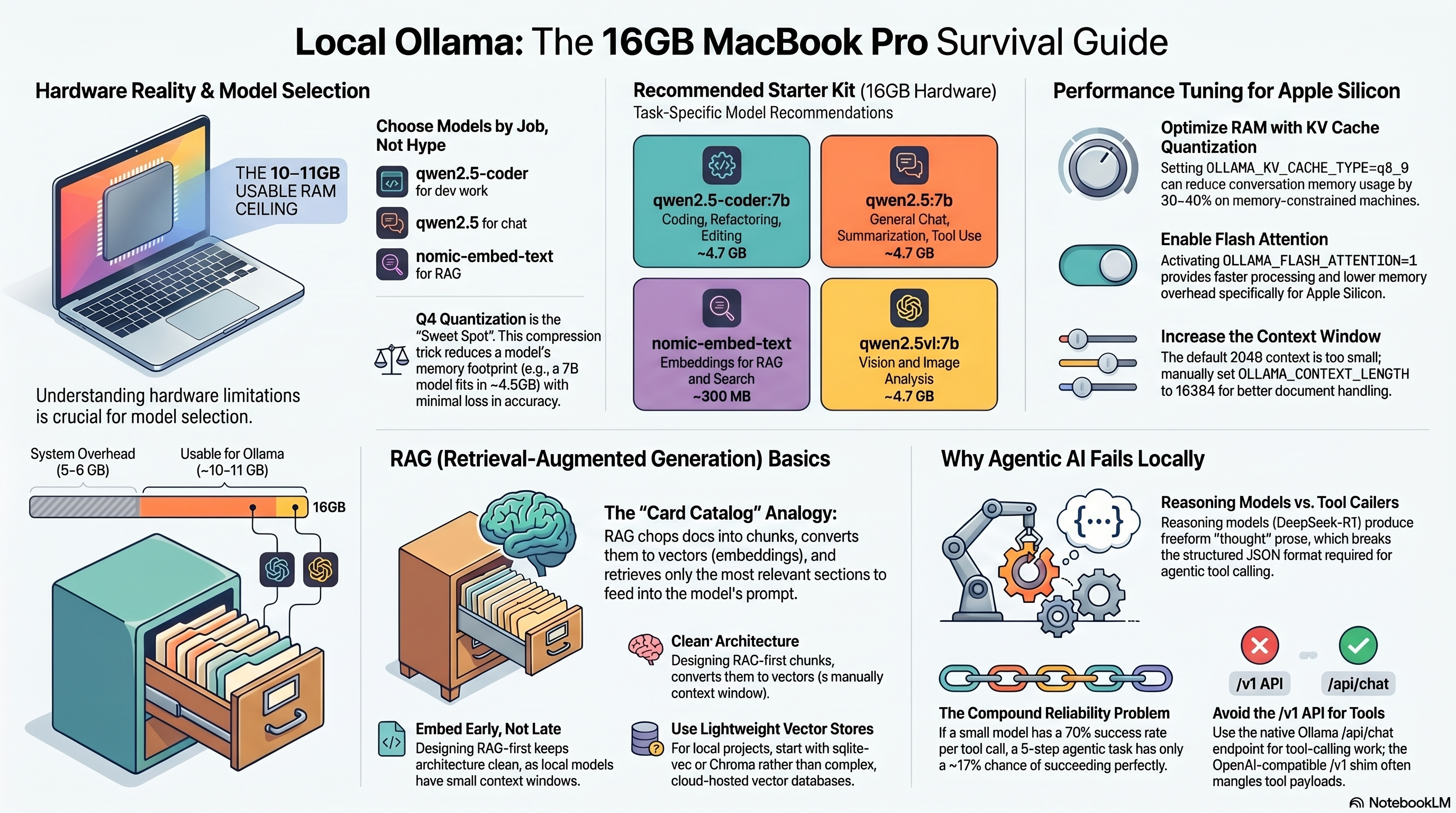
curl -fsSL https://ollama.ai/install.sh | shollama pull llama3.3 or ollama pull mistralollama run llama3.3http://localhost:11434 — OpenAI-compatible.